How to Make a Zombie AI Love Story Video: The Complete Tutorial
The full walkthrough — from picking two photos to posting a finished 15-second zombie love story video. Every step, every rule, and what to do when something goes wrong.
Make the story with your photos
Choose two consenting adults. Continue to review your photos in the generator; payment and rendering start only when you press Generate there.
This is the complete process for making a zombie AI love story video: what to prepare, what each step does, what the result looks like, and what happens when something goes wrong. From photos to posted clip is a few minutes — most of it is the render, and you can wander off while it runs.
Want to start now? Open the generator, or watch complete examples first.
Last checked: October 30, 2026.
Watch an actual generated example
Original survivor photo and partner photo: both are fictional AI-created adults. This unedited example was generated on October 30, 2026 using this site's prompts and generation providers. It is 15.04 seconds, 1280 × 720, with generated audio. It is not a customer testimonial. Compare a second take or watch the portrait example.
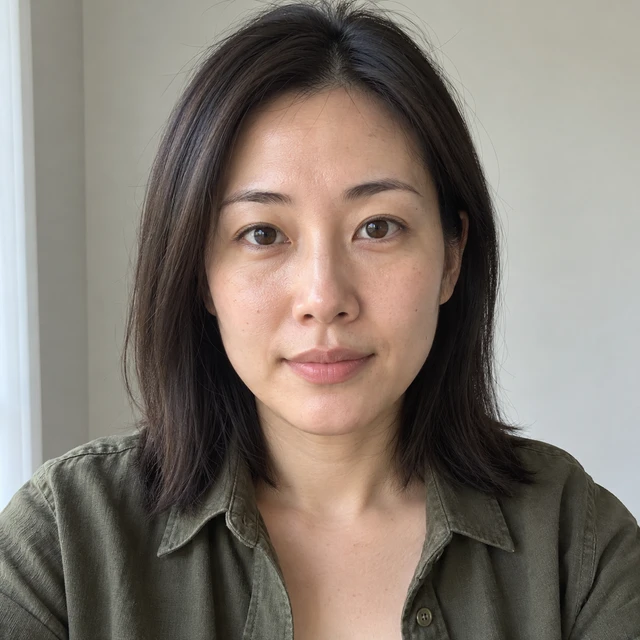
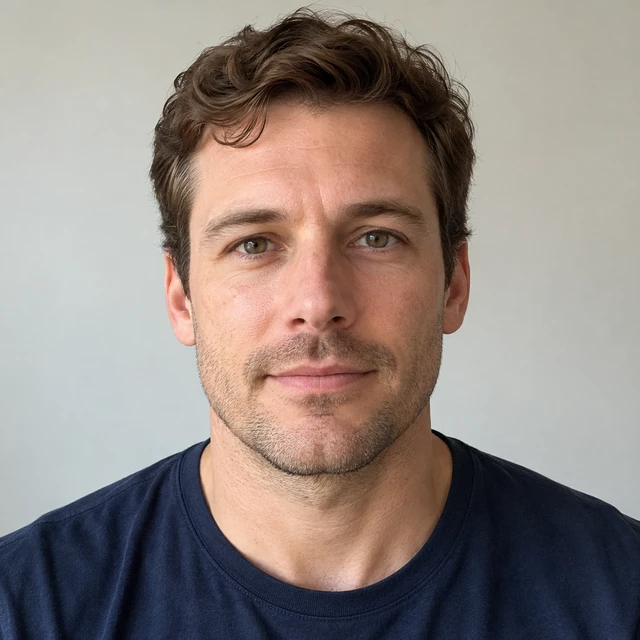
Choose your photos in this tutorial, then review them in the generator before paying or rendering.
What you need
- One photo of each partner — JPG, PNG, or WebP, up to 20 MB each. A single photo also works; a template zombie fills the second role.
- $3.99 — one-time payment, no subscription, no account required.
- A browser. That is the whole list. There are no prompts to write and nothing to edit — the story is a fixed template scene, which is why the result looks like the trend instead of a one-off experiment.
Step 1 — Prepare your photos
The transformation maps each face into the scene's character frames, so the input photo decides the output quality. The five rules:
- Front-facing. A straight-on angle gives the transformation the most to work with; profiles and three-quarter shots have less.
- Face fully visible. One person per photo — no sunglasses, no hair across the face, no hands or masks.
- Even, natural light. Window light or outdoor shade beats a dim bar photo. Hard flash and heavy shadows both fight the cinematic makeup pass.
- No heavy filters. Beauty filters smooth away the detail the transformation needs. A plain camera photo wins.
- Adults only, with consent. Every identifiable person must have agreed to the AI transformation. Photos of minors are never accepted — not as the survivor, not as the zombie, not in the background. Pets are welcome with the owner's permission.
Step 2 — Upload and assign the roles
On the generator page, upload one photo into each slot:
- The first photo is the survivor — the partner who aims the gun and cannot fire.
- The second photo is the one that turns — pale skin, clouded eyes, cinematic zombie styling.
There is no wrong answer for who plays the zombie; the makeup does the heavy lifting. If you change your mind, the swap button flips the roles before you generate — same photos, opposite story.
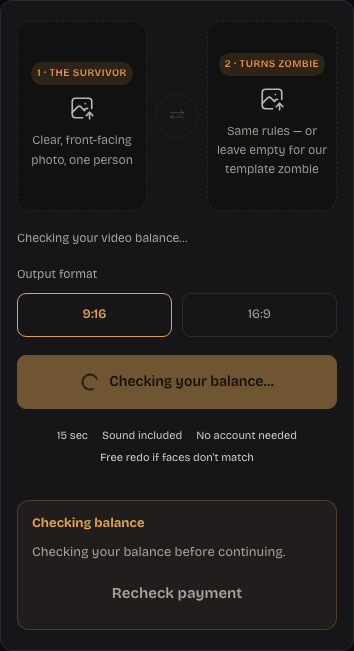
Screenshot of the local interface with fictional example photos.
Step 3 — Choose your format
| Format | Best for | Notes |
|---|---|---|
| 9:16 vertical | TikTok, Reels, Shorts | The native trend format — pick this for posting |
| 16:9 landscape | Feed posts, shared screens | Same price, same runtime |
Both formats come out as a 15-second MP4 at 720p with no watermark, and the cinematic scene sound is already mixed in.
Step 4 — Check out
Press generate and checkout opens on the payment provider's hosted page — currently Waffo. You do not need an account: the purchase is bound to your browser with a signed cookie (it expires after 30 days), and your receipt comes from the payment provider.
The video costs $3.99 as a one-time payment. Generation starts automatically the moment the payment clears — there is no second button to press. If the faces in the result don't resemble your photos, email us within 14 days and your order includes one free redo.
Step 5 — Wait out the render (a few minutes)
While you wait, the pipeline runs three stages:
- Safety checks on your photos — automated, before anything renders.
- Compositing — each face is placed into the scene's survivor and zombie character frames.
- Rendering — the composite becomes a 15-second video with its scene sound.
You can leave the page: return to the homepage in the same browser and open Find my videos. Keep your browser cookies. A link to the homepage alone does not restore access on another browser or device. The video also starts playing on the page as soon as it is ready.
Step 6 — Download and keep a copy
The finished video plays right on the result page with a download button next to it. Download it. Videos are stored for up to 30 days after generation and then deleted automatically — storage is temporary hosting, not a permanent archive, and the hosted video becomes unavailable when it is deleted.
Step 7 — Post it
- Add your chosen sound on your platform. Portrait videos are silent; landscape videos include generated scene sound. The trend's original audio is not included. On TikTok, swap in the trend audio before posting to ride the sound pool.
- Label it as AI-generated where the platform requires it — TikTok, Reels, and Shorts all have a toggle for this.
- 9:16 goes to the vertical feeds. Post the 16:9 cut as a regular feed post if you made one.
When something goes wrong
The generation fails. If a generation fails on our side — a technical failure or timeout — the video's cost is automatically returned to your balance and you can retry free. No support ticket needed.
You want your money back instead. Email support@zombiecouplevideos.net with the email used at checkout and your order ID, and we will refund your original payment method.
The video is rejected. Photos that break the content standards — minors, NSFW, gore, or a real person who has not consented — are not rendered, and the deduction stands: the safety review ran, and the submission was yours. A blurry input is not the same as a technical failure. Choose a clearer photo before another attempt; do not assume a rejection returns credits. If a delivered human face does not resemble the input, use the included one-time redo by contacting support within 14 days.
You lost access. First try Find my videos on the homepage in the same browser. If you cleared cookies or used another device, contact support with the order number from your payment receipt (or the email you used at checkout) and we will locate your order.
The six shots behind the story
The template asks for these six shots. Timing and details vary with each AI generation; this is a story outline, not a promise of identical frames.
| Shot | Intended action |
|---|---|
| 1 | The survivor recognizes their partner and holds an unfired gun |
| 2 | A close-up shows the same partner with zombie makeup |
| 3 | The survivor hesitates, lowers the gun and opens their arms |
| 4 | The zombie lunges; the cut happens before contact |
| 5 | In a warm memory, the same partner is fully healthy and lands in the embrace |
| 6 | A close-up ends the memory with a quiet touch |
The main identity check is the last two shots: the partner should look healthy again and still resemble the same input portrait.
Copyable DIY zombie couple prompt
This is an illustrative recipe for a multi-reference image-to-video tool, not a tested compatibility guarantee for every model. Attach one consenting adult portrait for each role. Tools with shorter clip limits may require separate clips and manual editing. DIY generation may still cost credits.
Create a 15-second vertical cinematic zombie love story from two adult portraits.
Photo A is the human survivor. Photo B is the partner who has turned.
Keep the same recognizable face, age and hair for each person across all shots.
1. Cold present: close-up of A holding a gun, recognizing B, unable to fire.
2. Reverse close-up of B, with pale theatrical zombie makeup and cloudy eyes.
3. A lowers the gun and opens their arms, with grief rather than a smile.
4. B lunges toward A. Hard cut before contact.
5. Warm memory before infection: the same B is fully healthy from the first frame,
   with natural skin and clear eyes, completing the movement into A's embrace.
6. End on a quiet close-up of the two healthy people holding each other.
No blood, wounds, gunfire, extra people, dialogue, text or logos.
Use environmental sound. Add licensed music later in the posting app.
For a manual workflow, first create identity-consistent stills for the cold scene and the healthy memory, then animate them and edit the cut yourself. A single long prompt may not preserve both identities or land the cut.
Prefer the finished template? Upload your photos here. You do not need to write a prompt on this site.
Fixing common result problems
| Problem | What to check or do |
|---|---|
| The wrong person turns | Swap the two roles before another generation |
| Faces change between shots | Use one clear face per photo; request the included redo for a delivered likeness problem |
| The memory partner still looks infected | Note the affected part when requesting the one-time redo; it is not an automatic full refund |
| Payment finished but no result | Recheck payment on the homepage and wait for confirmation; do not pay again |
| A video is missing | Open Find my videos in the original browser, then contact support with the receipt if needed |
| The music differs from the trend | The original trend song is not included; add a sound using your platform's library |
Add sound and publish
- Save the MP4 to your device using Download.
- In your posting app, select the saved video and choose a sound from its sound library, or start from a sound attached to an existing trend post.
- Adjust the original clip audio and added sound to avoid competing tracks.
- Review the result and disclose that the realistic video is AI-generated. Follow TikTok's AI-content instructions and the rules of whichever platform you use. Controls vary by app/version.
You can also use the homepage share controls to download and continue to your chosen platform. No song title or original trend author is claimed here.
The rules in one place
Adults only. Consenting people only. No minors in any photo, no NSFW, no gore — the story is a fictional, non-graphic zombie scene, and the gun never fires. Post responsibly: label AI content, and don't present the output as real footage.
Ready? Make your zombie love story video — two photos, one click, a few minutes of render time.